Photo Digitizing Stand for Travel: Honest Review

Buried inside a shoebox of faded Kodachrome prints, I found my grandmother’s face staring back at me, and suddenly a small matte-black metal stand became the most important thing on my desk.
The shoebox had been sitting in my closet for two years. Hundreds of prints, some curling at the corners, some stuck together just enough to make your stomach drop when you try to separate them. I kept meaning to take them to a scanner service, kept meaning to do something, and kept not doing it. Then the Cosmo Copy Stand Mini 300 from Stand Company arrived in a compact, unremarkable box, and within forty minutes on a Sunday afternoon I had photographed sixty-three images with my phone camera, all of them sharp, all of them flat, all of them finally digitized. No appointment. No courier. No scanner the size of a filing cabinet.

The First Time I Used It
I came across the Cosmo Copy Stand Mini 300 the way most people find niche tools, which is to say I was looking for something else entirely. I was deep in a rabbit hole researching desk organizers and document tools for home office setups when a forum thread mentioned this thing almost as an aside. Someone wrote, simply, “it’s made in the USA and the magnet board is what makes it.” That phrase, floating magnet board, stopped my scrolling cold.
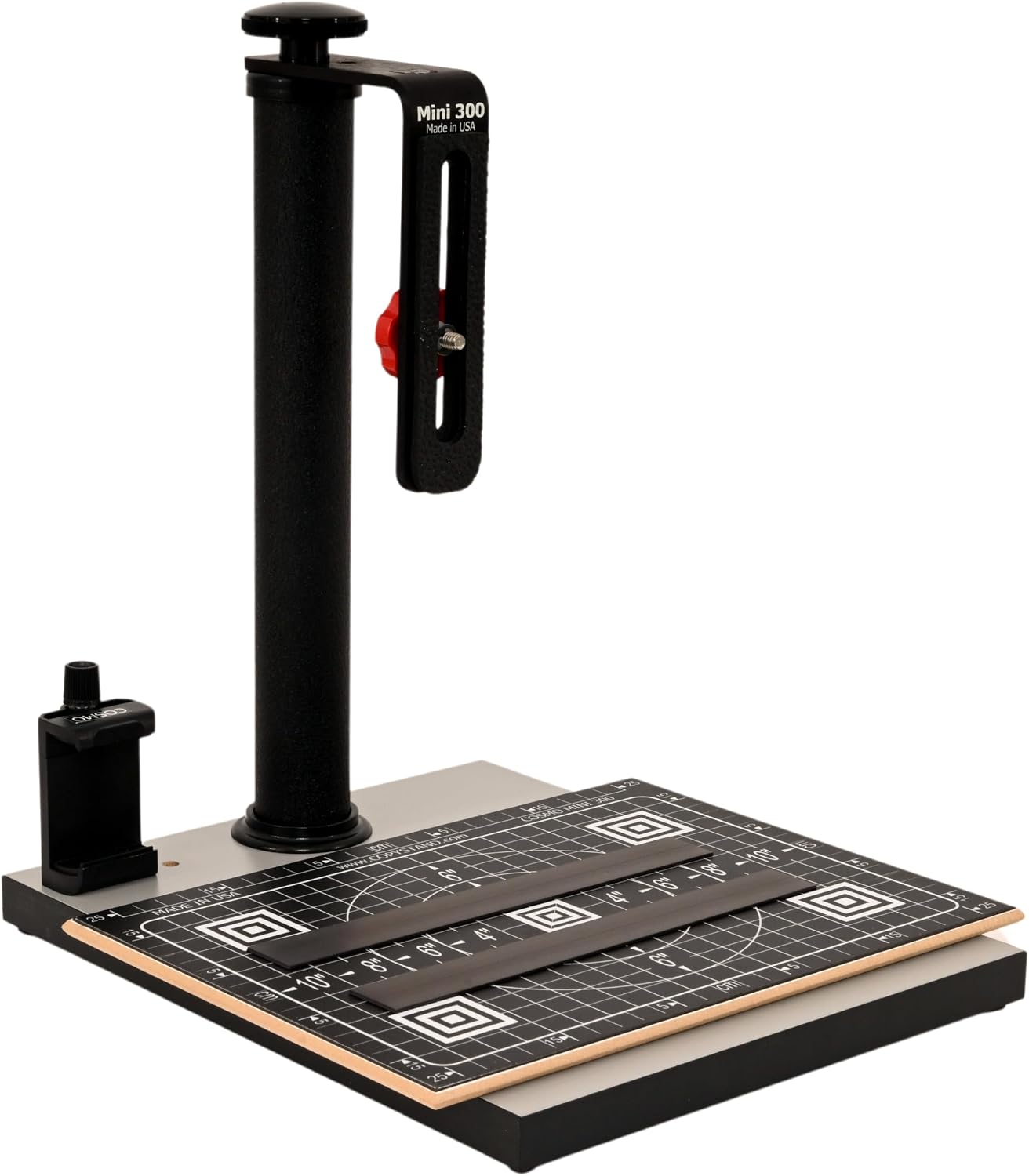
A magnet board that floats above the base plate means your document or photo sits elevated slightly, which eliminates the shadow that plagues flat-surface shooting. I did not fully appreciate what that meant until I tried it with a slightly warped print from what appears to be a 1974 birthday party. The image came out clean.
How It Actually Performs
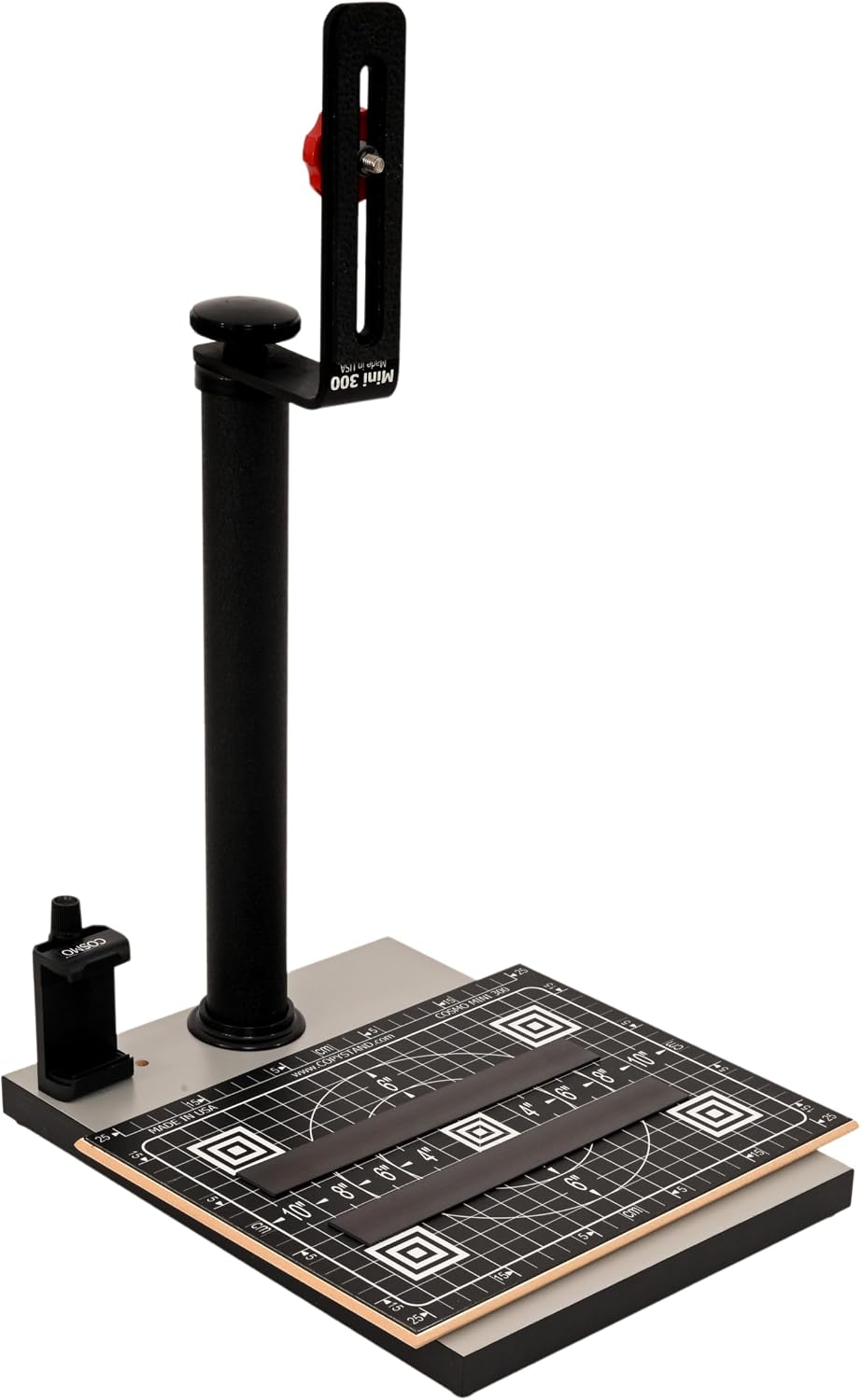
The Stand Company built this thing to do one job and it does that job with a kind of quiet confidence. The matte black metal construction feels dense for its size, the kind of heft that makes you trust something before you have any real evidence you should. The arm is rigid, the column is straight, and when you position your phone or camera above the board there is no wobble, no drift, no creeping angle shift between frames. For a compact work from home digitizing tool, that rigidity is everything.
“The floating magnet board solves a problem you didn’t know you had until you shoot your first warped photo without one.”
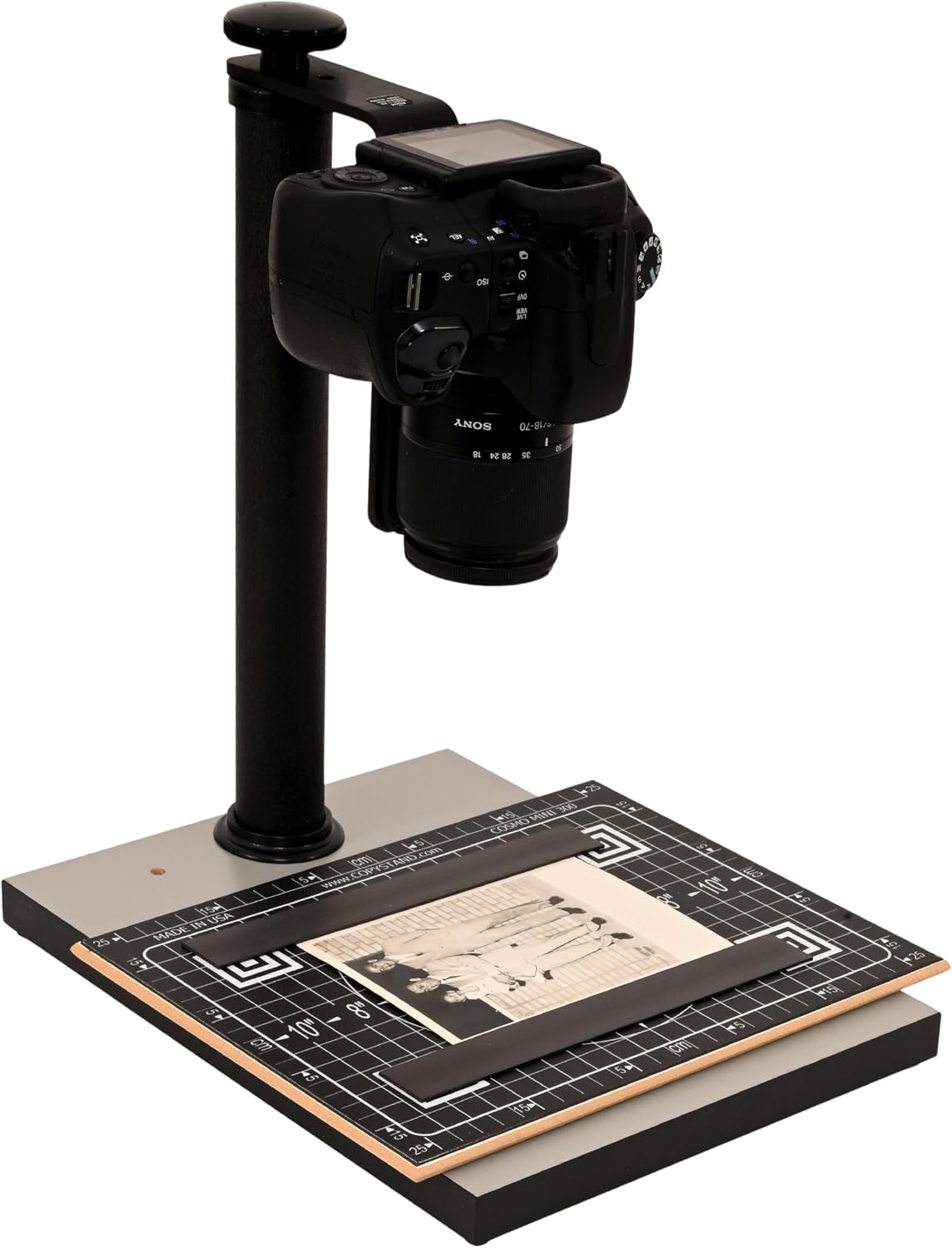
The floating magnet board holds prints flat using a gentle magnetic grip that is strong enough to keep a curled edge down but soft enough that you are not stressing fragile paper. I tested it with prints that had been stored badly, some of them with pronounced curl, and the results were consistently better than anything I got laying the same prints on a flatbed. That said, if you are shooting documents with very fine text at the edges, check your phone’s lens distortion at the corners. No hardware fixes optics. For deeper context on how modern camera sensors and smartphone lenses compare for document scanning tasks, the conversation has matured considerably in recent years.
How I Actually Used It
Setup 1: Sunday Afternoon, Closet Archaeology
This is where the Stand Company Cosmo Copy Stand Mini 300 earned my respect. I set it up on my kitchen table, which is my version of a studio, connected my phone to a simple Bluetooth shutter remote, and worked through the shoebox in batches. The floating magnet board kept every print flat on the first placement, no second adjustments needed. The matte black finish on the base absorbed light cleanly, which meant the background in every shot was a consistent neutral field. By the time the coffee went cold I had photographed an entire decade of family history and sent the files to a shared album my mother did not know existed until her phone lit up.
Setup 2: The Home Office, Tuesday Deadline
My actual work from home setup involves a standing desk, too many cables, and a rotating cast of documents that need to be quickly captured and filed digitally. Receipts, signed contracts, hand-annotated PDFs that someone printed and marked up in pen because some people still do that. The Mini 300 lives in the corner of the desk now, always assembled, always ready. I drop a document, tap the shutter, done. What used to mean a trip to the multifunction printer in the other room now means standing still for six seconds. That is not a dramatic time savings in absolute terms, but it compounds across a week in a way that starts to feel significant.
Setup 3: Travel Kit, Hotel Room in Austin
The compact footprint of this stand makes it a legitimate travel-friendly digitizing tool. I packed it for a three-day trip where I knew I’d be reviewing printed materials and wanted clean digital copies without relying on hotel business center scanners, which are universally grim. It fit into the front pocket of a carry-on backpack alongside a cable roll and my laptop charger. Set up on the hotel room desk in under two minutes. If you are someone who travels for work and regularly deals with physical paperwork, this stand earns its bag space.
What Other People Are Saying
The product has a relatively small but notably consistent review base at this point in its lifecycle.
What stands out across the feedback is that buyers consistently mention the build quality exceeding their expectations at this price point, and several note that the floating magnet system was the deciding factor over competing stands they had considered. That kind of specific, feature-driven satisfaction is a good signal.
Who Should Skip It
If you need to digitize documents at volume for a small business, meaning hundreds of pages per day with OCR processing and file naming, this is not your tool. A dedicated document scanner with ADF feeder and integrated software will serve that workflow better. You can explore dedicated document scanner reviews if that is closer to your actual use case. Similarly, if you are digitizing large format prints, architectural drawings, or anything wider than roughly letter size, the Mini 300’s board dimensions will be a constraint.
Professional archivists working on institutional collections will want a larger, more calibrated repro stand with precise height locking and color reference targets. This stand is not competing in that space. And if your phone’s camera is several generations behind, the stand will do its job but the limiting factor will shift from the hardware to the optics, and no stand solves that.
What It Replaces on My Desk
Honestly, it replaced a behavior more than a device. My previous solution was a combination of propping prints against a wall and shooting freehand, which produced results that were fine for quick reference but embarrassing for anything I wanted to keep long term. The occasional flatbed scan was better, but the scanner lives in another room and requires a computer to be on and software to be open and patience I often do not have at 10 p.m. when I am actually in the mood to work through old photos.
The Mini 300 occupies a gap that I did not have a good tool for, which is fast, high-quality, low-friction capture of physical documents and photos in whatever room I happen to be in. For other tools that fit into a similarly considered home office productivity workflow, the category has gotten genuinely interesting in the last couple of years. See also the current landscape of WFH webcams and compact keyboard options for desk setups if you are building out a broader work from home setup.
FAQ
Does the Cosmo Copy Stand Mini 300 work with any smartphone?
Yes, it is designed for universal compatibility. Any smartphone with a decent rear camera will work, and the stand accommodates a range of device sizes without additional adapters.
What kind of lighting do you need to use this effectively?
Natural light from a window works surprisingly well, but a simple LED flat panel positioned off to one side gives the most consistent results, especially for prints with any surface texture. Avoid overhead lighting that creates a hot spot directly on the board.
Can I use a mirrorless or DSLR camera instead of a phone?
Yes, and for large prints or images where you need maximum resolution before cropping, a camera with a higher megapixel count will outperform most phones. The stand is stable enough to support a compact mirrorless with a standard prime lens.
Does the build quality match what you’d expect from a USA-made product?
It does. The metal construction and matte black finish hold up to daily desk use without showing wear, and the fact that it is manufactured domestically is reflected in the fit and finish of the components. For what you are paying at this tier, the value reads above what you would expect from an import alternative.
What is the warranty situation?
Stand Company backs their products with a standard manufacturer warranty. Given the simple mechanical construction and the absence of electronics, failure points are minimal, but reaching the brand directly through their site is the fastest path to support if something does come up.
The Verdict
Six weeks in, the Cosmo Copy Stand Mini 300 has not moved from the corner of my desk. That is the clearest thing I can say about it. Tools that earn a permanent spot rather than rotating back into a drawer are rare, and this one stayed because it removed friction from something I genuinely care about, which is preserving physical images before they deteriorate further. If you have a shoebox, a closet shelf, a filing cabinet full of printed photographs or paper documents that deserve to exist in a digital form, this stand is the most practical way to start that project without scheduling anything or buying something the size of a small appliance.
The floating magnet board is not a gimmick. The USA-made construction is not just marketing. The compact form factor makes it a legitimate addition to a travel kit or a tight desk without apology. For those building or refining a work from home setup, it fits into that ecosystem cleanly alongside our editor’s top picks for home office tools. It is also a quietly thoughtful gift idea for someone who has talked about scanning old family photos for the last several years and not done it yet. Those people will use this. They will use it within a week of receiving it.
The Cosmo Copy Stand Mini 300 does not try to be more than it is. That restraint is exactly what makes it work. For anyone interested in how focused single-purpose tools are reclaiming space in the increasingly cluttered gadget landscape, this stand is a tidy case study. Compact, purposeful, well-made, and worth every bit of the price point. Buy it before that shoebox gets any older.
Every Angle
The product as photographed for Amazon — hero, angles, ports, detail.

As an Amazon Associate I earn from qualifying purchases.